How to clear Firefox's Cache
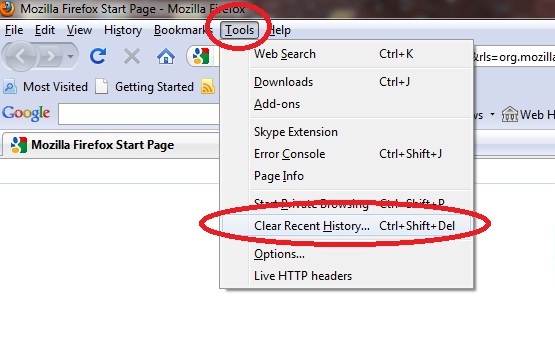
1. Click on the "Tools" menu on Firefox
2. Choose "Clear recent history"
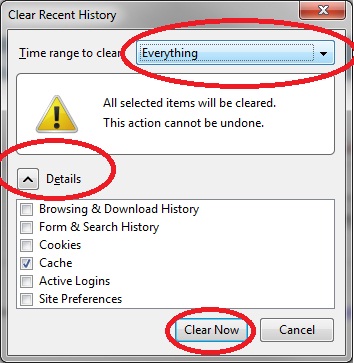
3. Choose "Time range to clear" = "Everything"
4. Click on "Details"
5. Unselect everything except for "Cache"
6. Click on "Clear now"
7. Press "F5" on your keyboard.
8. If you still can't play - try to close and reopen your browser.