How to clear Google Chrome's Cache
1. Press Ctrl+Shift+Del
OR 1. Click on the wrench next to the address bar
2. Choose "Tools" from the menu.
3. Choose "Clear browsing data"
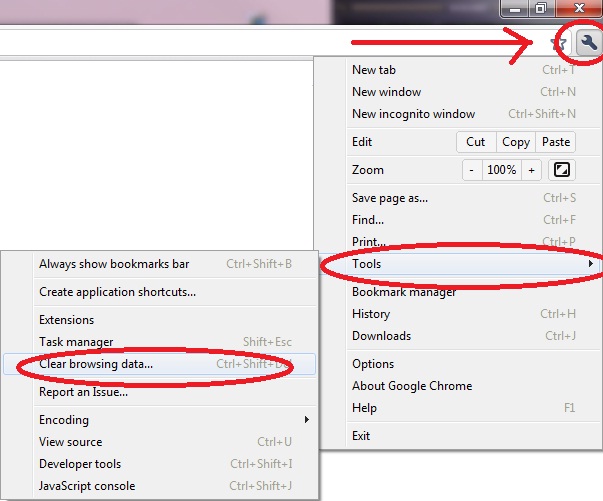
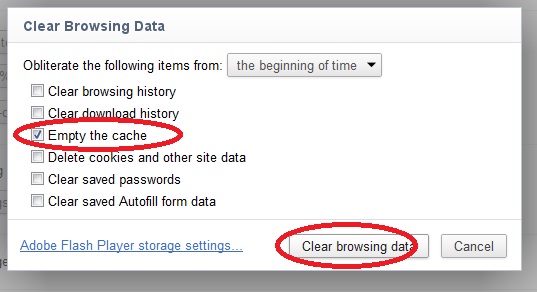
4. Unselect everything except for "Empty the cache"
5. Click on "Clear browsing data"
6. Go back to JSPuzzles and Press "F5" on your keyboard.
7. If you still can't play - try to close and reopen your browser.