How to clear Internet Explorer's Cache
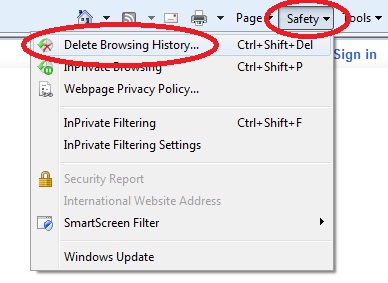
1. Click on the "Safety" button on the top-right part of the screen
2. Choose "Delete Browsing History" from the menu
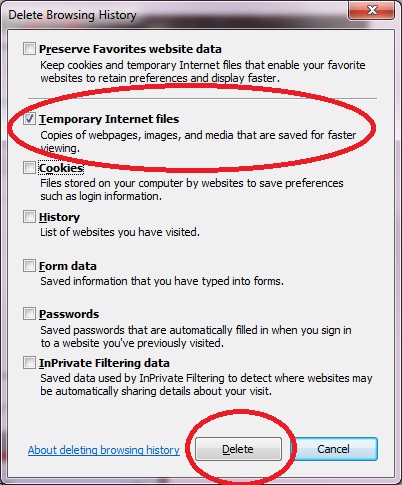
3. Unselect everything except for "Temporary Internet Files"
4. Click on "Delete"
5. Press "F5" on your keyboard.
6. If you still can't play - try to close and reopen your browser.