How to clear Opera's Cache
1. Press Ctrl+F12
Or
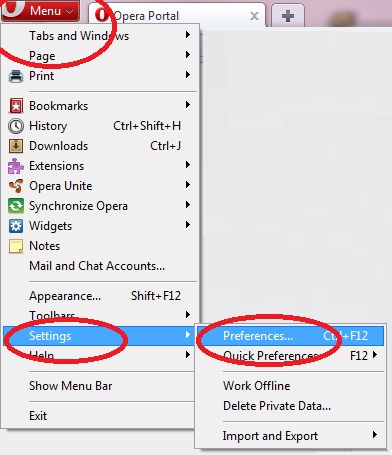
1. Click on the menu button on the top-left
2. Choose "Settings" from the menu.
3. Choose "Preferences"
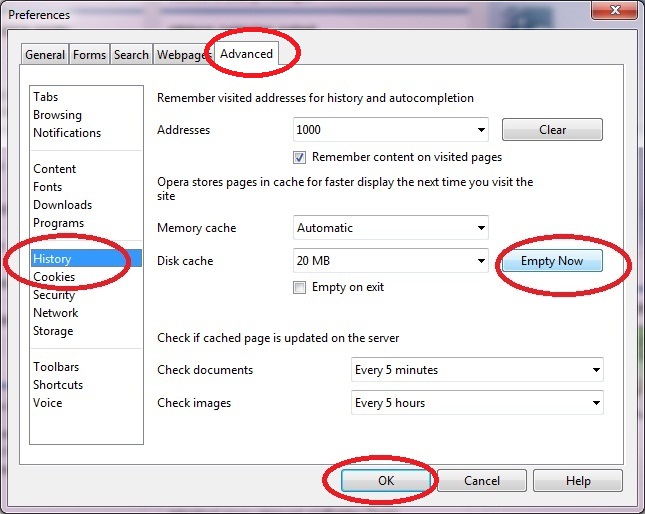
4. Click the "Advanced" tab on top.
5. Go to the "History" option on the left
6. Click on "Empty Now"
7. Click "OK"
8. Go back to JSPuzzles and Press "F5" on your keyboard.
9. If you still can't play - try to close and reopen your browser.